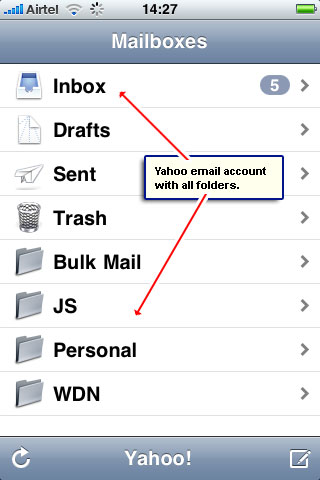
With the mobile Yahoo! web site, you can access email anywhere – check screenshot on the left. However, iPhone users are in luck because the feature to get and store Yahoo email messages on your cell phone is in-built.
The set up takes a couple of minutes and involves filling in the simplest of details about your account. And no, you don’t have to fiddle with the Yahoo POP settings at all.
Sponsored Links
iPhone setup: Get Yahoo email
All free Yahoo email accounts can be set up and configured on the iPhone – no need for the Plus upgrade. Just make sure your cell phone can connect to the internet because this is required to verify the login information and download the email messages to the device.
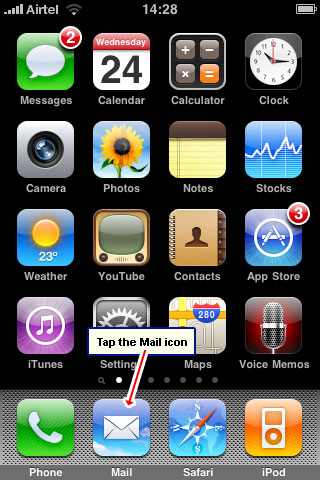
- If you haven’t set up any email account on your iPhone, tap the “Mail” icon – [Slide 1]. Else, you need to go through “Settings” -> “Mail, Contacts, Calendars” -> “Add Account“.
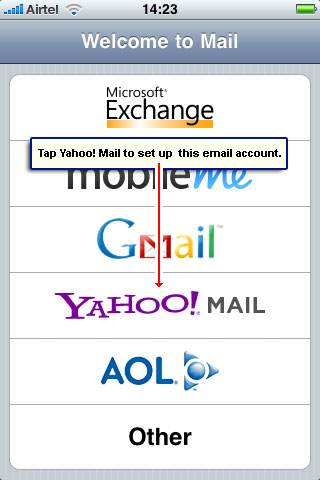
- You will be presented with some popular email services. Tap “Yahoo” to proceed – [Slide 2].
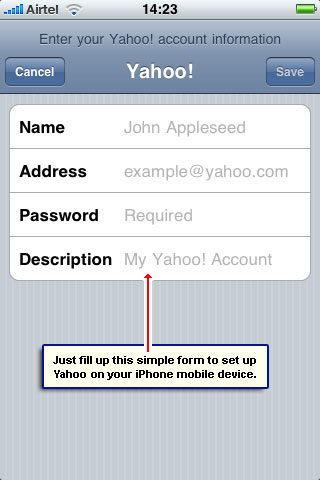
- To get Yahoo on your iPhone all you need to do is fill the simple form as shown in slide #3.
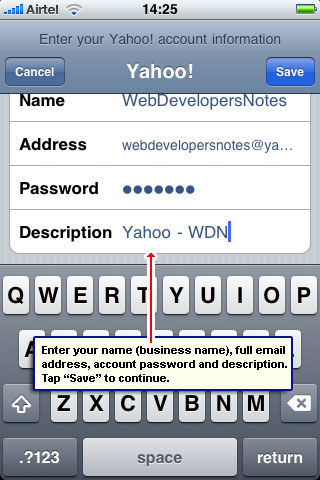
- Key in your name, email address, password (note, that’s case-sensitive) and a description (can be anything you want) – [Slide 4].
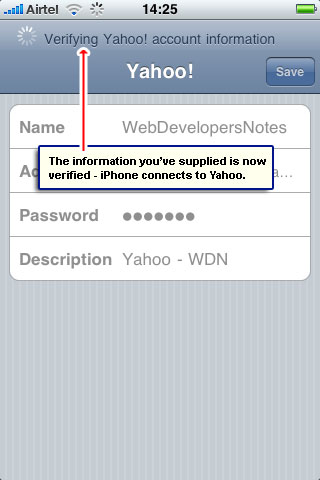
- The iPhone now connects to your Yahoo email account and verifies the information you’ve provided – essentially the username and password – [Slide 5].
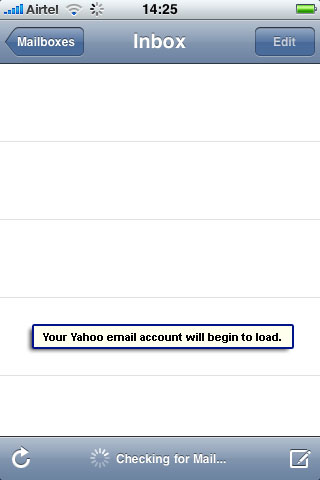
- If everything is correct, the screen will change and the Yahoo account will begin to load – [Slide 6]. Note: If you have other email addresses set up on the iPhone, you need to go to the “Mail” section to view the newly added account.
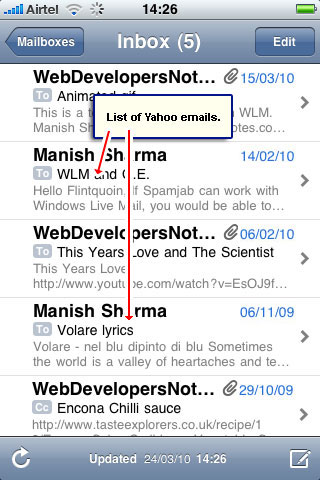
- You’ll soon see the Yahoo emails on the iPhone – [Slide 7]. The latest messages are downloaded and stored on the mobile device which means they would be available even without an internet connection.
- Now tap the “Mailboxes” icon to get the list of folders in your Yahoo email account – [Slide 8].
You may also be interested in knowing how to get email messages from other types of accounts – check the list below: