
Regularly changing the password of your online accounts is a very good habit. It helps in avoiding determined hacker attacks and safeguards precious personal information. However, there is an inherent problem too – you have to make sure that you remember the new login details!
A simple way out of this quandary is to use a ‘little black book‘ to note down the username and password which can be updated whenever the login information is changed. Obviously, it’s essential that this book with all your secrets is kept hidden.
Sponsored Links
I cannot stress enough the importance of having a strong password for your AOL email address, especially when it’s your primary online address. Over time the email account will have vital details of your personal and professional life – photos, receipts, credit card and bank particulars, important documents etc.
Additionally, the contacts list contains email addresses and names of your friends – information that should be kept private. As you can understand, it would be disastrous if all this information is compromised.
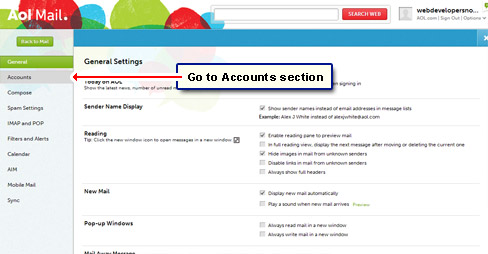
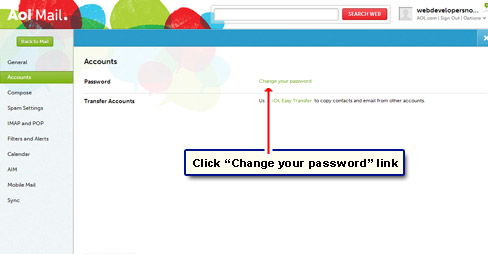
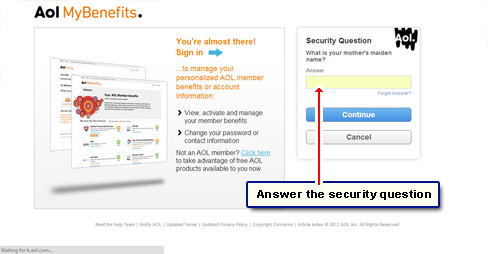
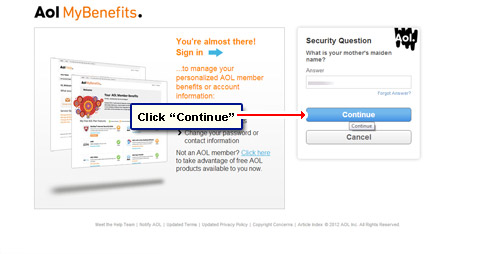
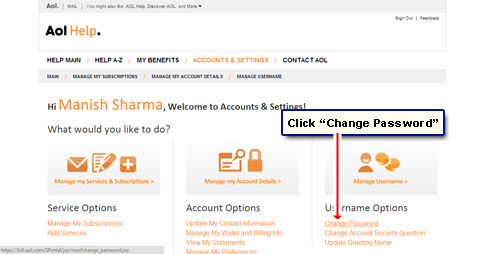
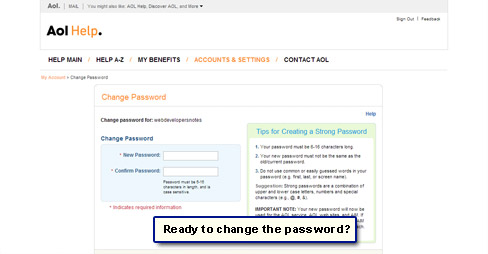
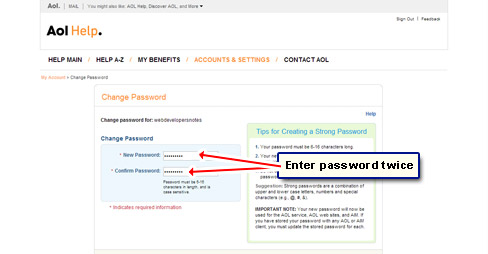
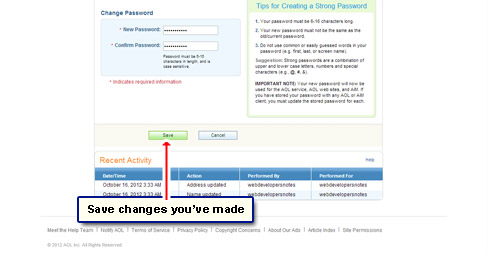
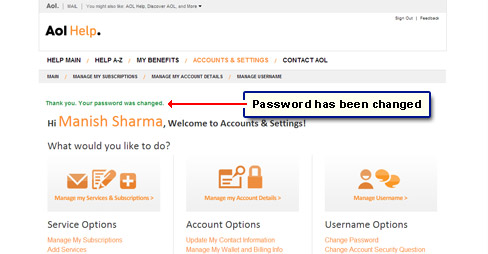
Instructions on how to change the password of AOL email account
Now that you are sufficiently shaken, here are the instructions on how to change the password of your AOL email account.


Also read the article on how to make a strong password for tips and advice.