Maria from Hong Kong asked: How can I unblock somebody I had earlier put on the Block Senders List in Outlook Express?
As you might know, the Block Senders List in Outlook Express is a feature that allows you to stop receiving emails from specified senders. You can add as many email addresses to this list as you want. When a message arrives from a sender on this list, it is automatically moved to the Deleted Items folder. Furthermore, you can create message rules in Outlook Express through which you can delete the emails from blocked senders directly on the email server – the messages don’t even reach your computer.
Sponsored Links
Now to answer Maria’s question, it is really very simple to unblock someone whom you have put on the Blocked Senders List by mistake or otherwise. This is a two step process detailed below along with screenshots.
Removing email addresses from the Blocked Senders List
The list is found under “Tools” -> “Message Rules“.
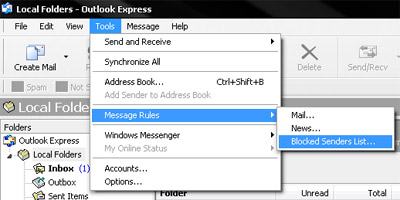
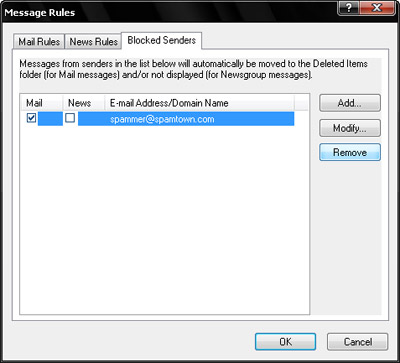
Select “Blocked Senders List” to open the Message Rules pop-up window. Now click on the Blocked Senders tab which brings the list to the front. Select the email you want to remove and hit the Remove button.
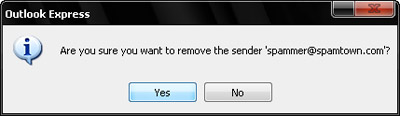
In the confirmation pop-up click on the Yes button and the email address will be unblocked.
That was simple wasn’t it?