The best way to have multiple users on Outlook Express is to make a separate identity for each. These identities enable individuals to work with a clean copy of the email program giving them an ability to keep their email private and maintain a separate address book.
Thus, Outlook Express identities are like individual user accounts in which you can set up one or multiple email address. For instance, if you want to completely segregate your personal and business email accounts and contacts, the ideal solution would be to create two identities. Also, as we shall see, switching between identities is very simple.
Sponsored Links
How to create identities in Outlook Express
The step by step instructions to create Outlook Express identities are below. Screenshots have also been provided in a slideshow which you can refer in case you get stuck. I’ve assumed you have only one identity (the Main Identity) in Outlook Express.
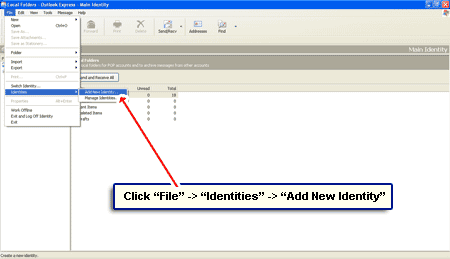
- Click “File” -> “Identities” -> “Add New Identity” – [Slide 1].
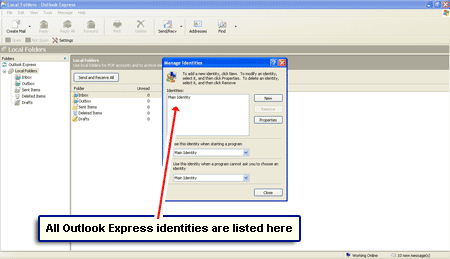
- A pop-up is displayed that lists all the identities you have in Outlook Express – should only be one at this moment – [Slide 2].
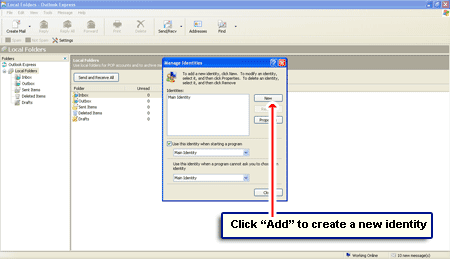
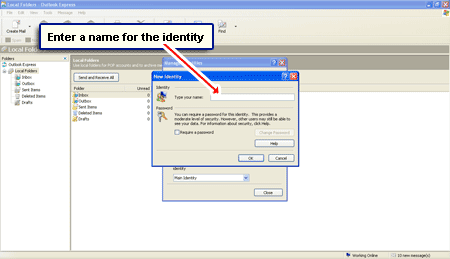
- To add a new identity, click the “New” button [Slide 3] which pops another window – [Slide 4].
- Type a name for the identity in the blank text field. This can be anything you want and not necessarily your own name – [Slide 4].
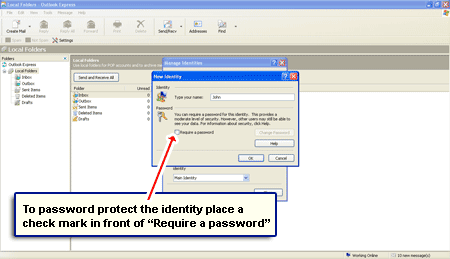
- Each identity can also be password protected which lets people segregate their email messages from others. If you want to use this option, put a check mark in front of “Require a password” – [Slide 5].
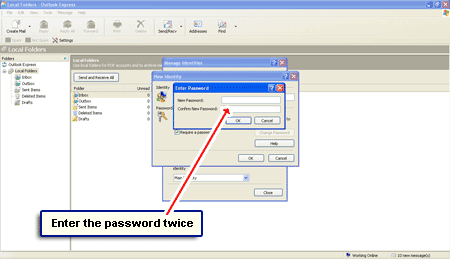
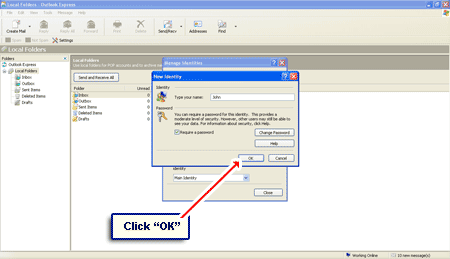
- The password needs to be typed in twice. Click “OK” when done – [Slide 6].
- Close the other pop-up window too – [Slide 7].
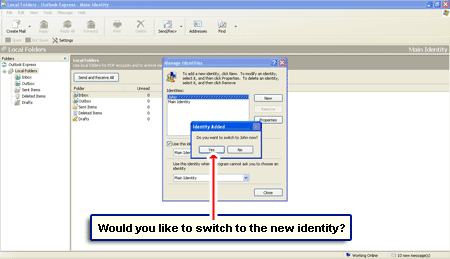
- Outlook Express now asks if you would like to switch to the newly created identity – [Slide 8].
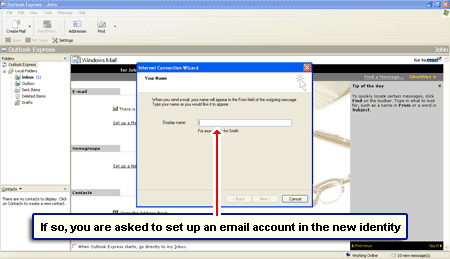
- If you answer in the affirmative, you’ll get a clean copy of the program. The Internet Connection Wizard pops up encouraging you to set up a new email account in Outlook Express [Slide 9]. Because, as you probably know, without that the email program is quite useless , right?
To switch identities, go to “File” -> “Switch Identity“. Choose the identity you want to use and enter a password (if applicable).