
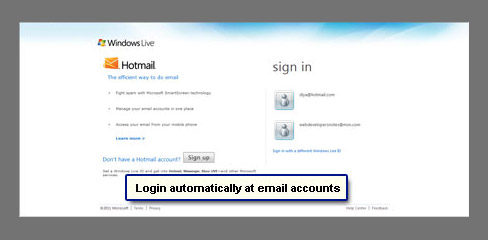
I wanted to know how to login automatically to my email account. So I just want to click the browser icon which should load my email account. Is this possible? I want to save time and avoid signing in each time… even typing the Hotmail address.
Shanicka Adams
Oh yeah, time is money nowadays. And surely a few precious seconds can be saved by either bypassing the Hotmail sign in page or, at the very least, avoiding having to enter the username or the password each time you want to check the email account. Here is how you go about it.
Sponsored Links
How to automatically login at Hotmail email
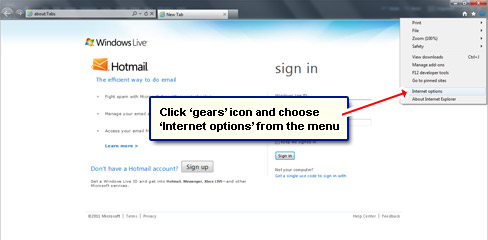
Please understand that the instructions below have been worked out in Internet Explorer version 9. The logic is pretty simple and straightforward and, as far as I know, will work on any browser.
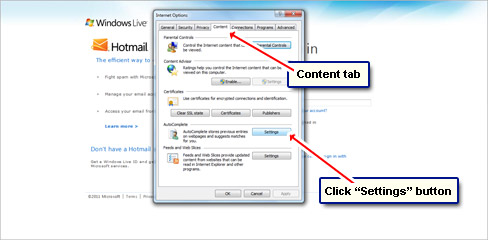
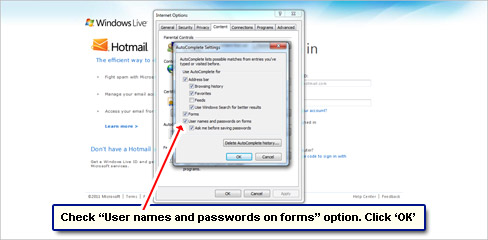
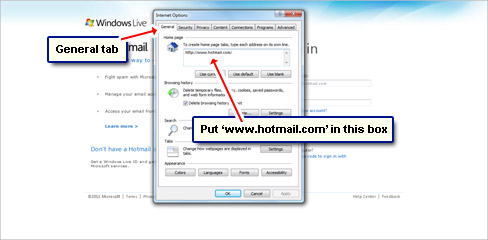
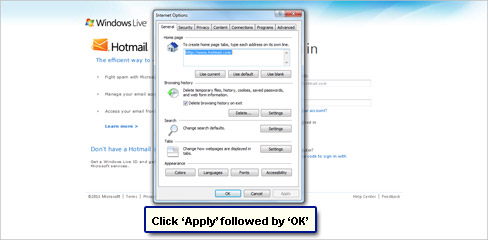
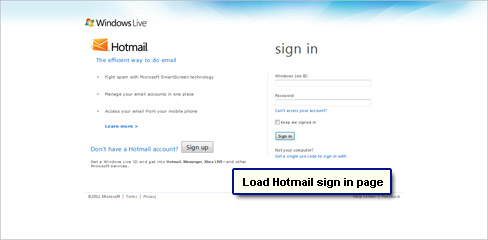
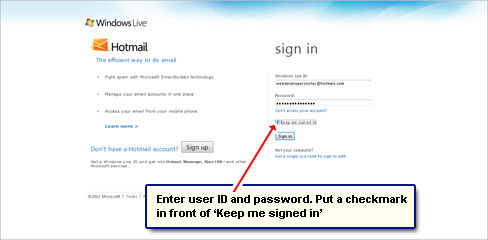
To have an automatic login at an email account (or any other web service), first ensure that the chosen browser program can accept cookies and store passwords. Set the email sign in page as the browser’s home page. Then re-launch a fresh window and sign in at the email account making sure you checked the “Remember my password” or equivalent option.
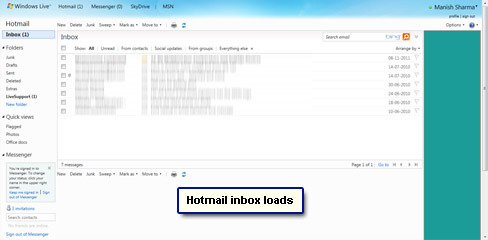
Now the next time you launch the web browser, you will automatically be logged in at the email account. Important: Do not sign out of the service once your work is done.
The steps below will remove the pain of logging in at Hotmail email account each time. You just need to launch the browser to be shown the inbox.





looks ok up to the point where I enter user id and password. had the same laptop for 7 years and never been asked before so cant remember either. thats the problem